

Prerequisites
- Admin access to your GitHub organization
- Installed the core Trunk app and Trunk Sudo app on the target repo
- Configured branch protection using Rulesets (classic branch protection will not work for direct-to-queue)
Configure rule sets for Trunk Sudo
Your branch protection configuration must allow Trunk Sudo to bypass the relevant rules when it merges your original pull request.GitHub Rulesets
In GitHub, navigate to Settings → Rules → Rulesets. For every active ruleset that applies to your merge branch:- Open the ruleset.
- Under Bypass list, add the Trunk Sudo GitHub App.
- Set its bypass mode to Exempt.
- Save.
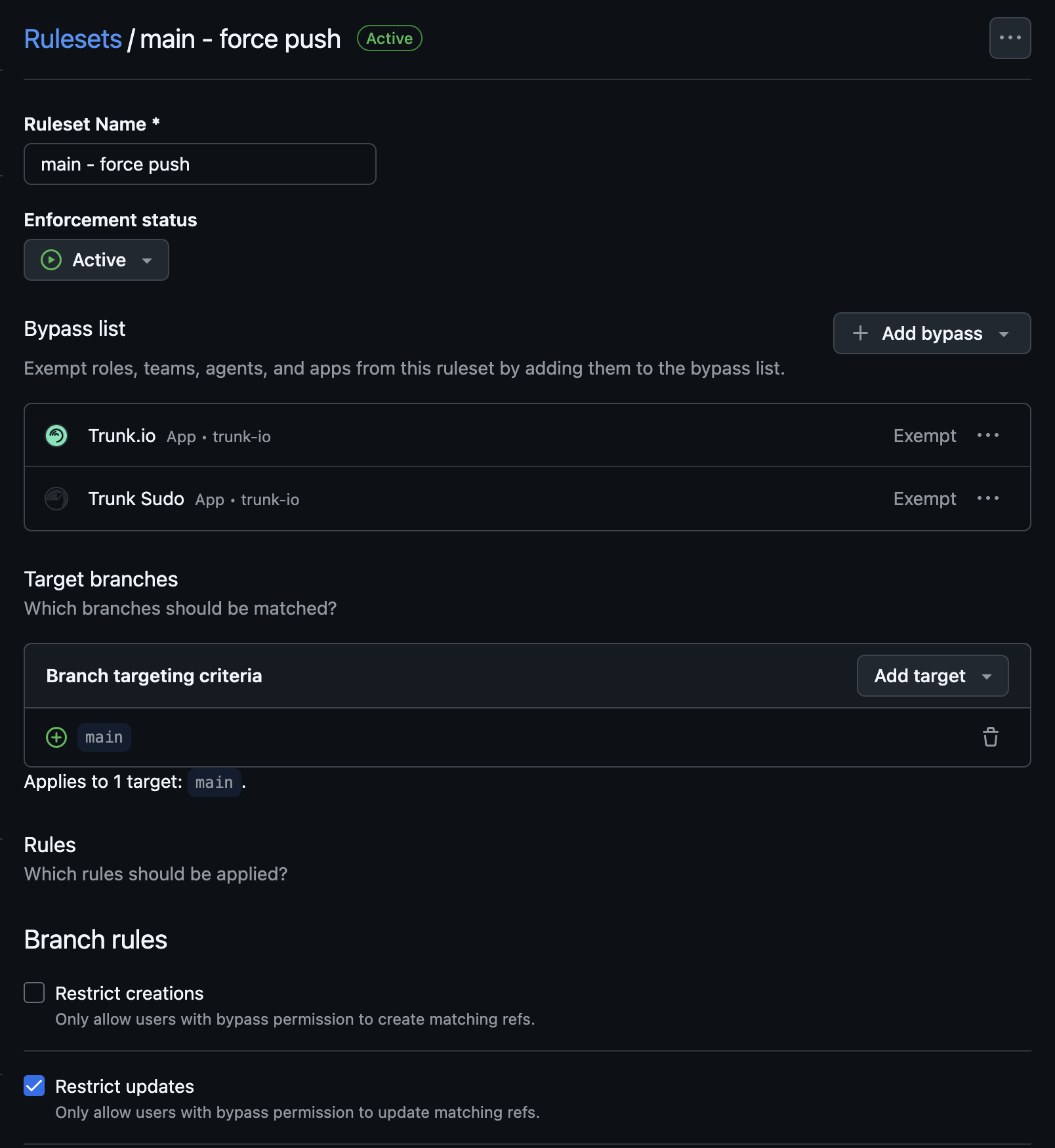
Trunk Sudo's bypass mode must be Exempt.
Verify your setup
The settings page for each Trunk Merge Queue includes a live checklist that validates every piece of the Trunk Sudo configuration end-to-end. This checklist is the source of truth for whether your setup is correct - if the checklist is green, the app is ready to merge.To see this checklist, go to a merge queue in the repo where you are setting up Trunk Sudo, then click the Settings tab.
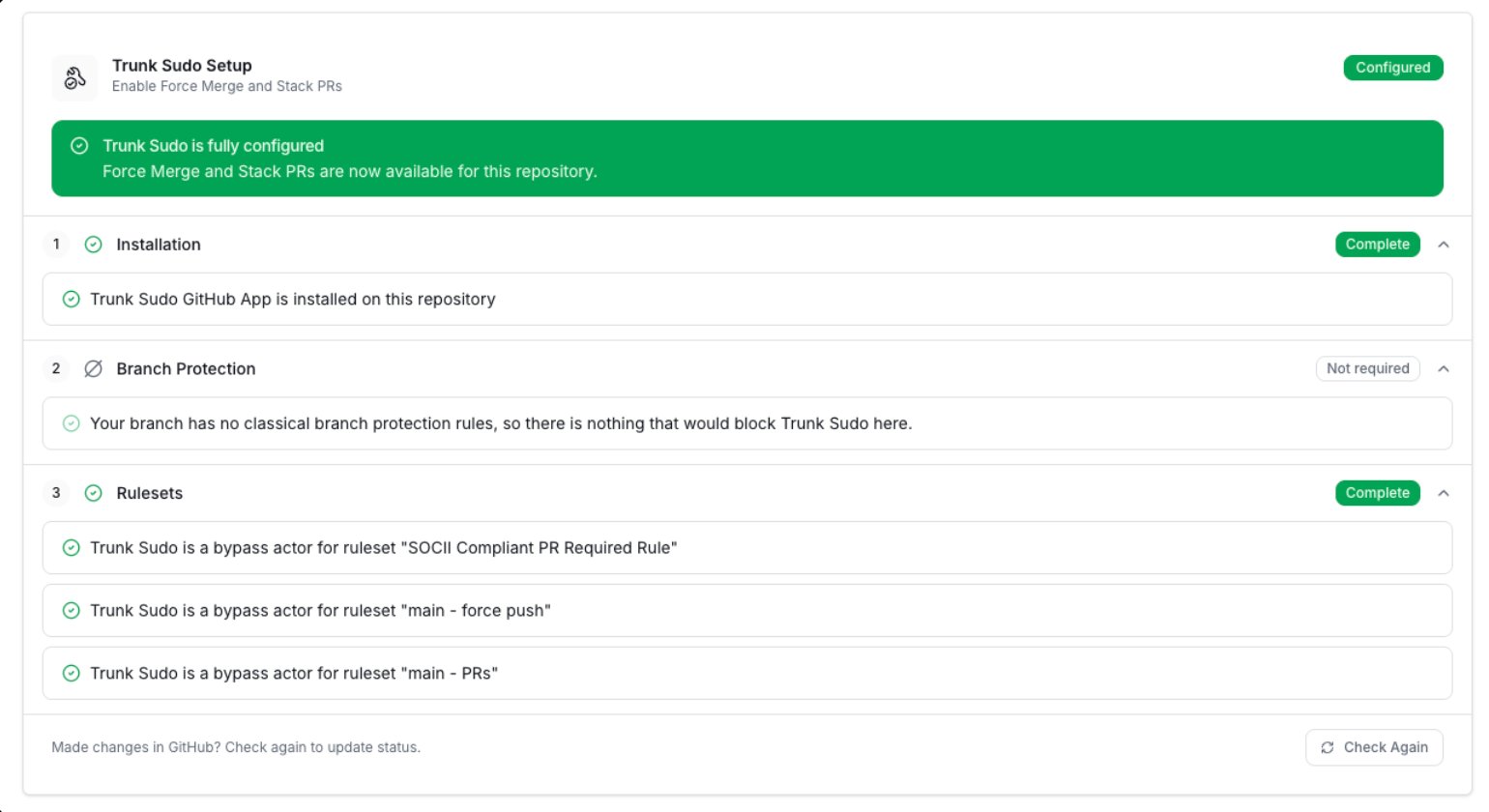
Trunk Sudo setup checklist in the Merge Queue settings page when everything is configured properly.